

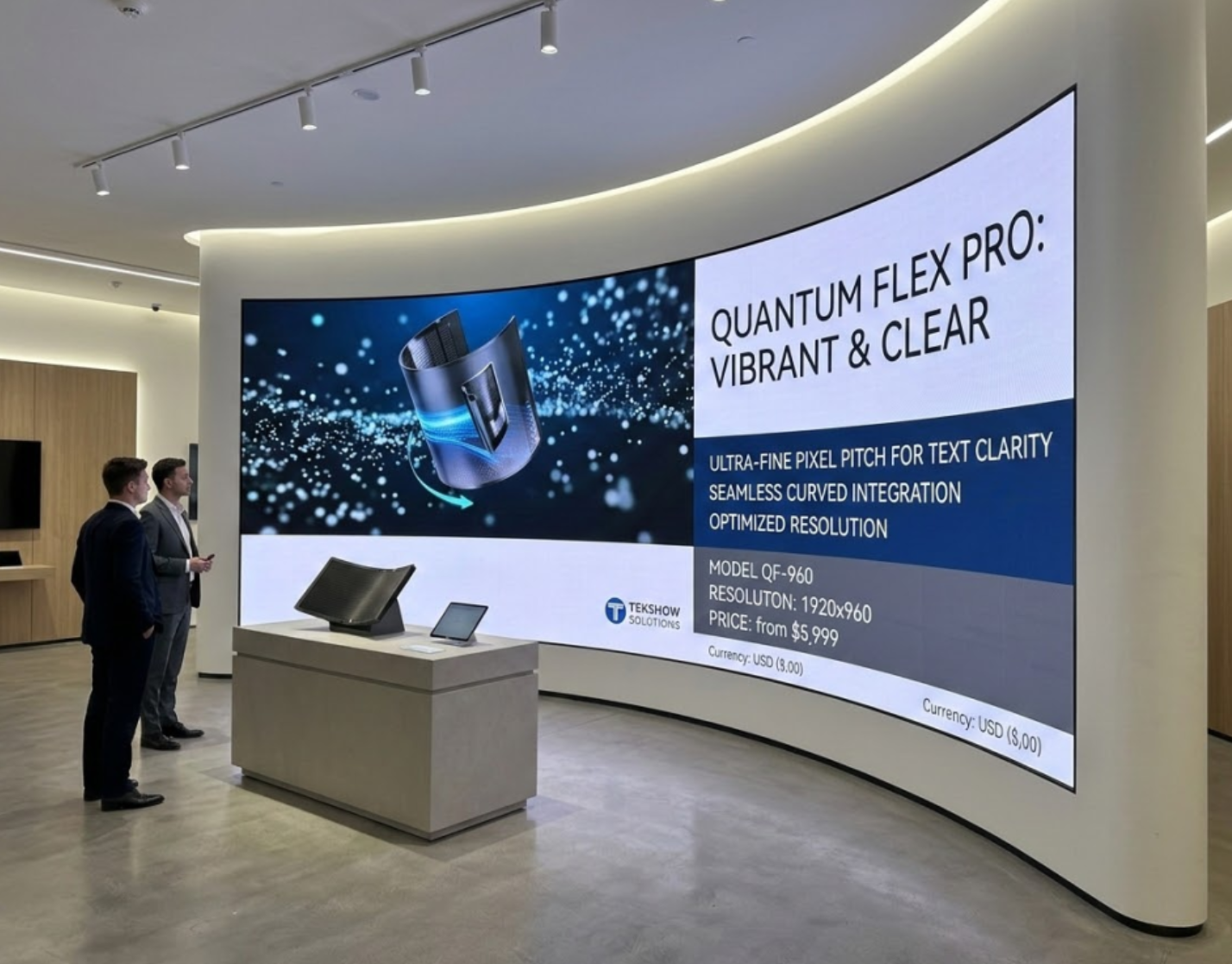
A showroom display often needs to attract attention while also explaining a product. Moving images can encourage visitors to stop, while written information helps them understand what they are looking at. Problems arise when the video looks impressive, but the product name, price or specification underneath is difficult to read.
A flexible LED screen can show clear product information on curved walls, columns and other compatible structures. The result depends on the relationship between screen resolution, text size, viewing distance and content layout.
Before choosing a display, identify the information visitors must read and where they will read it. Those requirements provide a more useful starting point than a demonstration containing only colourful video.
Decide What the Screen Must Communicate
Different showroom messages require different levels of detail. A company name may occupy most of the screen, while a product comparison needs headings, numbers and several lines of supporting information.
Start by separating the content into three levels:
- A headline that visitors can recognize from the walkway.
- A short explanation for people who stop near the display.
- Detailed information that supports a closer conversation.
The screen can comfortably accommodate the first two levels. Dense specifications may work better on a separate slide, a nearby printed sheet or another suitable display.
This hierarchy also helps prevent a common design problem: reducing every element until an entire brochure fits on one screen. The information remains technically present, but visitors may struggle to use it.
Plan Around Actual Reading Positions
A showroom contains several viewing distances. Someone entering the room may see the display from across the space. A visitor examining a product may stand much closer and approach from an angle.
Mark those positions on a floor plan before approving the screen layout.
For each position, decide what people need to understand. Visitors across the room might only need the product category and a large image. Those standing beside the product may need a model name, a short benefit statement or a price.
Physical character size matters here. A word can have smooth edges and still appear too small from the far side of the room. Increasing screen resolution alone will not make physically small lettering comfortable to read at every distance.
Test the headline and supporting copy separately. They serve different reading conditions.
Match Text Detail to the Available Pixels
LED displays form letters using a pixel grid. Smaller characters have fewer pixels available to reproduce their strokes and internal spaces.
A finer pixel pitch provides more pixels within the same physical area. This can help preserve details in lettering, numbers and symbols. However, font design and processing settings also influence the result.
When comparing flexible LED display configurations, ask for the assembled screen’s native pixel dimensions. The content designer needs that canvas before deciding how much information will fit.
Check the smallest required characters, including:
- Decimal points in prices.
- Currency symbols.
- Product model numbers.
- Narrow letters and digits.
- Detailed characters in every required language.
A large company name provides little evidence of how clearly the screen will reproduce these smaller elements.
Check What Happens During Content Scaling
Content often passes through a media player and processor before reaching the screen. These devices may resize the design to match the installed pixel grid.
Suppose a designer prepares a 1,920-pixel-wide slide. If the system reduces it proportionally to a 960-pixel-wide output, the lettering also becomes smaller in pixel terms. Fine strokes that looked clear on the original file may lose definition.
Ask who controls scaling and where it occurs. Confirm the intended output resolution, aspect ratio and mapping.
Avoid repeatedly resizing finished files. Where practical, prepare content for the confirmed display canvas and inspect the processed output. This makes it easier to identify whether unclear lettering comes from the design, the playback settings or the screen configuration.
Keep Product Messages Separate From Busy Imagery
A showroom video may contain bright reflections, moving products and rapid transitions. Text placed directly over that footage can become difficult to follow.
Give important information a stable background area. A restrained panel behind a price or product description can help maintain separation throughout the video.
Choose a typeface with distinct character shapes and comfortable spacing. Thin strokes may disappear at smaller sizes, while very heavy fonts can close the gaps inside letters.
Display time matters too. A visitor who has never seen the message needs time to notice it, read it and connect it to the product.
Read each slide aloud at a normal pace, then allow additional time for visitors to locate the information. Confirm the timing during the screen test.
Use the Curved Surface Deliberately
A broad curved wall can frame a showroom presentation, but the entire surface may not face every viewer equally.
Keep detailed information within the area facing the main audience. Larger imagery and supporting graphics can extend across the wider curve.
A cylindrical display requires a different approach. As the surface turns away, words appear compressed. A sentence wrapped around the column may disappear beyond the viewer’s sightline before it is complete.
Repeat short, self-contained messages in separate viewing zones. Each approach can then present a complete company name or product headline.
Assess a flexible LED screen from the entrance, product area and main walkway. The best position for the content depends on where people actually stand.
Test a Representative Product Slide
Before ordering, prepare a realistic slide containing a product image, headline, short description and model number or price. Include the smallest lettering expected in normal use.
Ask someone unfamiliar with the content to read it from the intended positions.
Record specific problems. Missing punctuation suggests a different issue from text that looks stretched. Side-facing words may need repositioning, while a crowded paragraph may need editing.
For projects using flexible LED modules, confirm the assembled dimensions, resolution, curvature and playback settings together. A representative test gives both the supplier and content team a shared reference.
A Showroom Screen Can Present Clear Product Information
A flexible display can combine attractive imagery with useful written information when the message fits the available resolution and viewing conditions.
Approve the installation using the smallest amount of information visitors must read. Confirm that unfamiliar viewers can understand it accurately, from the correct positions, within the available display time.
That test provides a practical basis for choosing the configuration and preparing future showroom content.
